






MetaMask was built for Ethereum based networks, while Celestia lives outside that ecosystem. Because of that difference, you cannot add Celestia to MetaMask in the usual way, which is where most people get stuck. MetaMask Snaps were created to solve this exact problem by extending what MetaMask can support and allowing you to connect to networks like Celestia from the same wallet.
So, how do you actually add Celestia to MetaMask? You cannot add it as a standard network because it is not EVM based. Instead, install a MetaMask Snap such as the Leap Cosmos Snap from the official MetaMask Snaps page. Once the Snap is installed and approved, Celestia will appear inside your MetaMask wallet, where you can send, receive, and stake TIA like any other supported network.
Integrating Celestia into MetaMask is straightforward using the trusted Leap Cosmos Snap. This certified snap offers native Celestia staking support, allowing you to earn rewards right from your wallet.
About the Leap Cosmos Snap
The Leap Cosmos Snap is built by the team behind Leap Wallet, a non custodial wallet focused on the Cosmos ecosystem. Its role is simple: it lets MetaMask understand and interact with Cosmos based networks, including Celestia, without switching wallets or installing extra browser extensions.
Once installed, the Snap allows you to send and receive tokens, stake TIA, and interact with Celestia and other Cosmos chains directly from MetaMask. It also supports IBC transfers, so moving assets between Cosmos networks works as expected.
The Snap is officially approved by MetaMask after security reviews and is maintained by the Leap team with regular updates. It is free to use and works alongside other Cosmos wallets like Keplr or Cosmostation, rather than replacing them.
In practice, it turns MetaMask into a single interface that can handle both Ethereum networks and Cosmos based chains, instead of forcing you to juggle multiple wallets for different ecosystems.
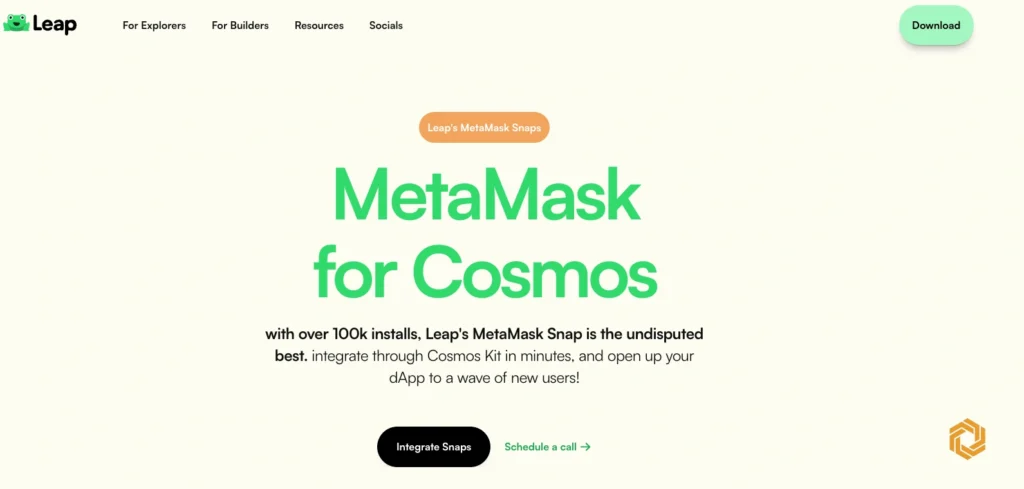
Why Use MetaMask Snaps for Celestia?
Celestia is not an EVM network, which means MetaMask cannot support it on its own. MetaMask Snaps bridge that gap by extending MetaMask to work with networks outside the Ethereum ecosystem.
With the Leap Cosmos Snap installed, you can manage TIA, interact with Celestia dApps, and stake tokens directly from your MetaMask wallet. Everything happens inside the same interface you already use, without moving funds between wallets or learning a new setup.
The Snap is designed for secure storage and transactions across Cosmos chains and supports native TIA staking. In practice, it lets you use Celestia in MetaMask without giving up the tools and flow you are already familiar with.
How to add Celestia to MetaMask: Step-by-Step Guide
- Open the official MetaMask Snaps page and search for the Leap Cosmos Snap.
- Click Add to MetaMask to start the installation.
- Follow the on screen instructions and approve the Snap’s permissions in your wallet.
- Wait for the installation to finish.
- Once installed, Celestia will appear inside MetaMask alongside your other networks, where you can send, receive, and stake TIA.
About Celestia
Celestia is a modular blockchain built to handle one specific job: data availability. Instead of trying to do everything on a single chain, it separates core functions so other blockchains can build on top of it more easily.
At a high level, Celestia separates consensus from execution. This means the network focuses on ordering and verifying data, while execution happens elsewhere, allowing systems to scale without overloading a single chain. It also uses a data availability model designed to reduce unnecessary data replication, making it easier for new chains to publish and verify data.
Celestia launched its mainnet, known as Lemon Mint, in October 2022. Its native token, TIA, is used for staking and network security. The project is based on the LazyLedger research and follows a modular architecture that many developers see as a foundation for building custom blockchains.
Conclusion
Adding Celestia to MetaMask requires an extra step because it is not an EVM network, but MetaMask Snaps make the process straightforward. By using the Leap Cosmos Snap, you can access Celestia directly from MetaMask without switching wallets or managing separate setups. Once connected, you can hold TIA, interact with Celestia applications, and stake tokens from the same interface you already use.
FAQs
Is Celestia an EVM compatible network?
No, Celestia uses the Cosmos SDK framework rather than the EVM. This is why a snap like Leap Cosmos is required to connect it to MetaMask.
Do I need to own TIA to add Celestia to MetaMask?
No, you can add Celestia to MetaMask wallet even if you do not already own TIA tokens. This will enable you to receive or purchase TIA if you choose to in the future.
Is adding Celestia to MetaMask safe?
Yes, MetaMask Snaps go through a strict security review and verification process before being published. Leap Cosmos Snap is developed by a reputable team and can be added safely.

team of 15 content editors collaborates with crypto journalists globally to provide the best and most up-to-date crypto news.




